


Apple Music has revolutionized how we access music, boasting a library of over 100 million songs. The platform’s native feature allowing users to download tracks for offline playback is a game-changer for commuters, travelers, and those with limited data plans. However, the standard method of downloading music through the Apple Music app comes with a catch: Digital Rights Management (DRM) protection. This leaves many users wondering how to truly break free from these restrictions.
If you are looking for a way to move beyond the limitations and achieve permanent, unrestricted access to your favorite tunes, you need a specialized solution. In this article, we will explore how ViWizard Apple Music Converter offers the ultimate method for listening to Apple Music offline on any device.
The Illusion of “Offline” in Apple Music
Before diving into the solution, it is important to understand the problem with Apple’s default download feature. Can you listen to Apple Music offline? While you can indeed download songs, albums, and playlists of Apple Music to your device, these files are encrypted in a protected M4P format.
Here is what you cannot do with standard Apple Music downloads:
- Play them outside the Apple Music app: You cannot open them in other media players or music apps.
- Transfer them to non-Apple devices: Those downloads won’t play on an Android phone, an MP3 player, a smart TV, or a car stereo that doesn’t support the app.
- Keep them forever: If you cancel your subscription, all your downloaded music becomes inaccessible immediately.
- Back them up or edit them: The DRM protection prevents you from creating backups, making ringtones, or burning CDs.
For users who want true ownership and flexibility, these limitations are a major frustration.
Why Choose ViWizard Apple Music Converter?
This is where ViWizard Apple Music Converter comes into play. It’s one of the best downloader of Apple Music designed specifically to bypass these exact restrictions. ViWizard removes the DRM encryption from Apple Music tracks and converts them into universally compatible formats like MP3, AIFF, WAV, FLAC, and M4A.
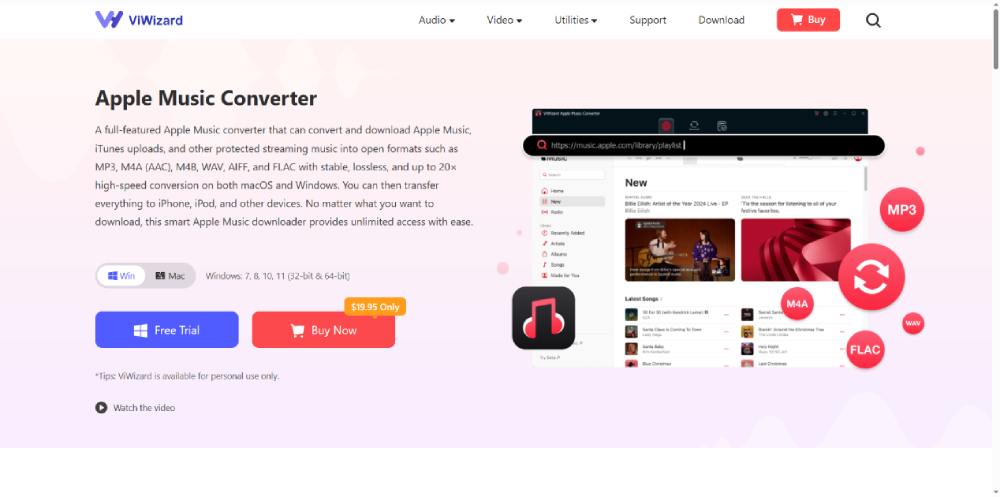
By using ViWizard, you move from renting music to actually owning it. Once converted, the files are yours to keep forever, regardless of your subscription status.
Key Features of ViWizard
ViWizard stands out as a top-tier solution for offline listening due to its robust feature set:
Removes DRM Protection: This is the core function. It strips the protection from Apple Music, iTunes purchases, and audiobooks, making the files truly portable.
Preserves 100% Original Quality: The tool ensures the converted files retain lossless audio quality and complete ID3 tags, including artist name, album, genre, and album artwork, so your music library stays organized.
Fast Conversion Speed: Utilizing advanced technology, ViWizard can convert songs up to 30X faster than real-time, allowing you to rip entire playlists in minutes.
Highly Customizable: You can choose your output format (MP3 is the most common for compatibility) and adjust parameters like bit rate (up to 320 kbps) and sample rate to suit your needs.
User-Friendly Interface: The software features an integrated Apple Music web player, meaning you can browse, search, and select your music directly within the ViWizard interface without needing a separate app open.
Step-by-Step Guide: How to Listen to Apple Music Offline with ViWizard
Ready to take control of your music library? Follow this simple guide to convert your Apple Music favorites to DRM-free MP3 files.
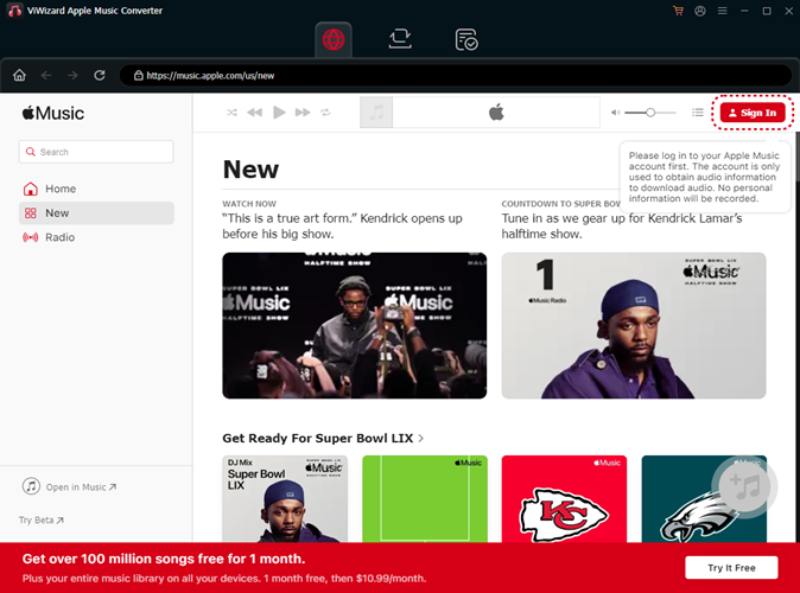
Step 1: Install and Launch ViWizard
Visit the official ViWizard website and download the software compatible with Windows or Mac. Install and launch the application on your computer.
Step 2: Log in to Apple Music
Inside ViWizard, you will see an integrated web player. Click the “Sign In” button at the top right and enter your Apple Music credentials. You need an active subscription to access the tracks initially.
Step 3: Select Your Music
Browse your library or use the search function to find the songs, albums, or playlists you want to convert. Click the “Add” button (usually a plus icon) next to the items to load them into the conversion list.
Step 4: Choose Output Settings
Click on the menu bar (often represented by three lines) to open “Preferences” or “Settings.” Here, select MP3 as your output format. You can also customize the bit rate, sample rate, and output folder where your music will be saved.
Step 5: Start the Conversion
Click the big “Convert” button. ViWizard will begin processing your files. Once completed, you can navigate to your chosen output folder and find your DRM-free MP3 files ready to go.
Official Method: Download Apple Music Songs for Offline Listening
Apple allows subscribers to download songs directly within the Apple Music app. Once downloaded, the songs can be played without internet access.
Steps to Download Apple Music for Offline Playback
- Open the Apple Music app on your device.
- Find the song, album, or playlist you want.
- Tap Add to Library.
- Tap the Download button.
- Once downloaded, you can listen to the music offline anytime.
Limitations of the Official Offline Method
Although this method works well, it has several restrictions:
- Downloads are only available while your subscription is active.
- Songs cannot be transferred to other devices freely.
- Music files are protected by DRM (Digital Rights Management).
- You can only play them within the Apple Music app.
If your subscription expires, the downloaded songs will become unavailable. For users who want permanent offline access, a better solution is needed.
Conclusion
While Apple Music provides a fantastic streaming service, its native offline mode is restrictive. For music lovers who value true ownership and the freedom to listen on any device, a converter is essential. ViWizard Apple Music Converter provides a fast, high-quality, and reliable bridge out of the walled garden, ensuring your favorite songs are always available, no matter where you are or what device you are using.
Don’t let DRM hold you back. Download ViWizard Apple Music Converter today and build the permanent, portable music library you deserve.
Related Post: How to Download Spotify Playlist to MP3 (Step-by-Step Guide)


What Happens If You Stop Wearing Your Invisalign Trays?
Clear aligners are designed to fit into everyday life, but their removable nature can create an easy mistake: taking them…

How Small Businesses Can Keep Their Digital Brand Clear Across Every Channel
Key Takeaways Define a clear brand message that explains who you serve and what you offer. Keep your business name,…