

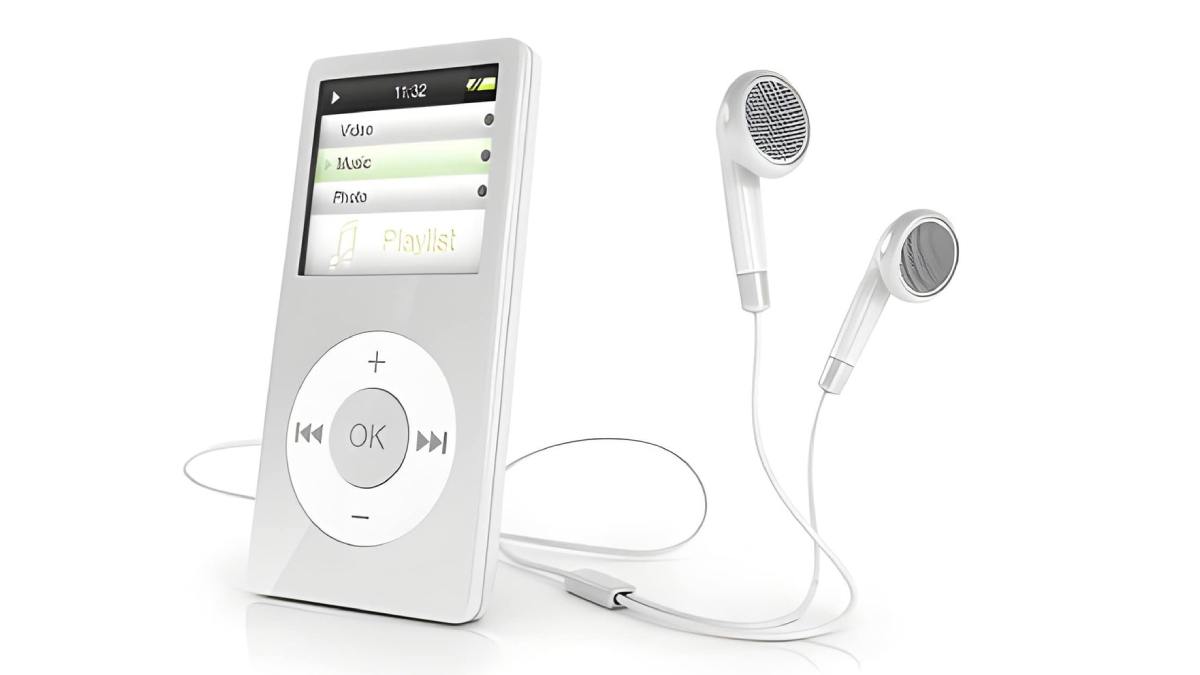
Spotify has revolutionized how we access music, putting millions of songs at our fingertips. However, even with a Premium subscription, your downloads are still confined to the Spotify app and dependent on an active subscription. What if you want to listen to your favorite playlist on a device that doesn’t support Spotify, like a standard MP3 player, a Kindle, or an old car stereo? The only real solution is to learn how to download Spotify playlist to MP3 format. By converting Spotify music to MP3, you gain true, permanent ownership of your music files.
In this guide, we will explore the best method to accomplish this using ViWizard Spotify Music Converter, a professional tool designed to break down the barriers of streaming.
Why You Need to Convert Spotify Playlists to MP3
Before diving into the “how,” it’s important to understand the “why.” Spotify uses a protected audio format (Ogg Vorbis for streaming) that comes with DRM (Digital Rights Management) protection. This is why your downloaded Spotify songs become unplayable the moment you cancel your subscription.
By converting your playlists to MP3, you unlock several key benefits:
Universal Compatibility: Play your music on any device—iPod, Sony Walkman, car audio system, smart TV, or gaming console.
Permanent Ownership: Keep your music forever, even if you cancel your Spotify Premium account.
Offline Freedom: Listen without worrying about data limits, internet connection, or app crashes.
Creative Use: Use your Spotify tracks as background music for videos or personal projects.
The Challenge: Limitations of Free Online Tools
If you search online for how to download a Spotify playlist to MP3, you will likely find countless “free” web-based tools or open-source scripts. While they may seem tempting, they come with significant drawbacks.
Many free tools, like those discussed in community forums, often rely on “downloading” music from third-party sources like YouTube rather than actually extracting high-quality audio from Spotify. This results in poor audio quality, often capped at 128 kbps, and missing or incorrect ID3 tags (artist name, album art, track number).
Furthermore, these online converters are often plagued with intrusive ads, pop-ups, and potential privacy risks. You are essentially sending your personal playlist data to an unknown third-party server.
The Professional Solution: ViWizard Spotify Music Converter
For a reliable, high-quality, and safe experience, a dedicated desktop converter is the superior choice. ViWizard Spotify Music Converter stands out as a top-tier solution for users who want to download Spotify playlist to MP3 without compromising on quality.
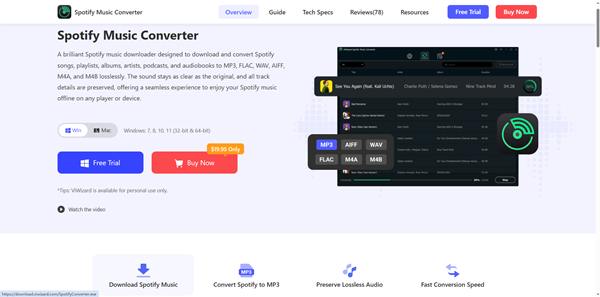
Unlike unreliable web scrapers, ViWizard works by integrating directly with Spotify, using advanced decryption technology to remove DRM and convert the streams directly on your computer. This ensures the integrity of the audio.
Key Features of ViWizard:
- Lossless Quality Conversion: Preserves the original audio quality, supporting output bitrates up to 320 kbps for a pristine listening experience.
- Batch Conversion at 15X Speed: Convert entire playlists or albums in bulk. With accelerated technology, you can download hundreds of songs at speeds up to 15 times faster than real-time.
- Preserve 100% of ID3 Tags: Automatically saves and organizes all metadata, including Song Title, Artist, Album, Track Number, and Album Art, keeping your music library perfectly organized.
- Customizable Output Parameters: Not only does it support MP3, but you can also output to FLAC, WAV, AIFF, and M4A. You can adjust the sample rate and bitrate to suit your specific device needs.
Step-by-Step: How to Download a Spotify Playlist to MP3 Using ViWizard
ViWizard features a clean, intuitive interface designed for users of all technical levels. Here is how to download your Spotify playlist to MP3 in just a few clicks .
Step 1: Install and Launch ViWizard
Download and install ViWizard Spotify Music Converter from the official website. Launch the software on your Windows PC or Mac.
Step 2: Log in to Your Spotify Account
The converter will open a built-in Spotify web player. Simply log in with your Spotify credentials. Both Free and Premium accounts are supported .
Step 3: Add Your Playlist
Browse your Spotify library and find the playlist you want to download. Drag and drop the playlist directly from the ViWizard window into the “Add” circle. Alternatively, you can copy and paste the playlist URL into the search bar .
Step 4: Set Output to MP3
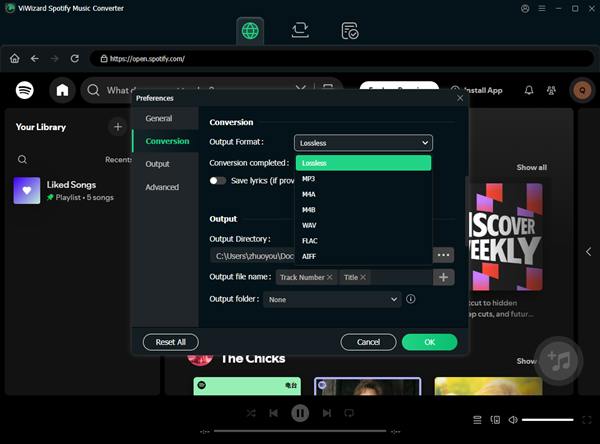
Before converting, click on the Menu icon (☰) and select Preferences (or Settings).
- Go to the Convert tab.
- Under Output Format, select MP3.
- Adjust the Bit Rate to 320 kbps for the highest quality .
- Choose your destination folder for the finished files.
Step 5: Convert the Playlist
Click the “Convert” button (bottom right corner). ViWizard will begin downloading and converting every song in the playlist. Once finished, click the “Converted” tab and then the folder icon to locate your new, permanent MP3 files.
Conclusion
While Spotify offers incredible access to music, true ownership and flexibility come from owning the files. Free online tools are risky and often deliver subpar audio. For anyone serious about their music collection, investing in a reliable tool is a no-brainer.
ViWizard Spotify Music Converter offers the perfect balance of speed, quality, and ease of use. It solves the problem of DRM restrictions, allowing you to enjoy your Spotify playlists on any device, anytime, forever. Ready to liberate your music? Download ViWizard today and experience the difference of lossless, high-speed playlist conversion.
Also Read: AI Video Creation Tools Are Transforming How Digital Content Is Produced


What Happens If You Stop Wearing Your Invisalign Trays?
Clear aligners are designed to fit into everyday life, but their removable nature can create an easy mistake: taking them…
How Small Businesses Can Keep Their Digital Brand Clear Across Every Channel
Key Takeaways Define a clear brand message that explains who you serve and what you offer. Keep your business name,…