

Vheer AI has grown from a straightforward image generator into a browser-based creative platform for producing and editing images and videos. Its tool directory now includes text-to-image, image-to-image, image-to-video, text-to-video, background removal, image-to-prompt, portrait generators and basic image utilities.
The platform still promotes free creation without requiring an account for several tools. However, that does not mean every model and feature is unlimited or licensed for commercial work. Vheer also has a credit-based free plan and three paid subscriptions. Some advanced models and tools require credits or a subscription.
This Vheer AI review explains what the platform currently offers, how to create an image, what the plans include, where the limitations appear and who should consider an alternative.
Quick verdict: Vheer is a convenient option for experimenting with AI images in a web browser. Its collection of free tools and watermark-free downloads makes it accessible to beginners. Nevertheless, users should check the credit indicator and selected model before generating. The current free plan is listed for personal use, while commercial use is included with paid plans.
What Is Vheer AI?
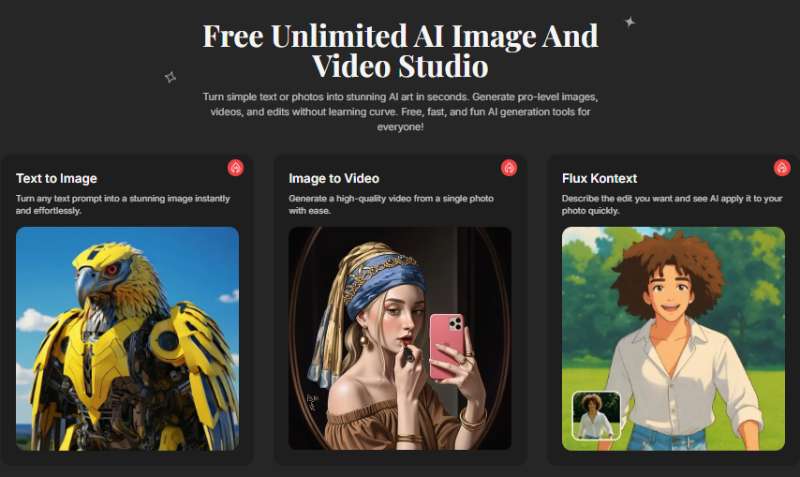
Vheer AI is an online collection of AI generation, transformation and editing tools. It can create new visuals from text, modify an uploaded image, animate a still picture and perform simpler tasks such as resizing or removing a background.
The current Vheer Apps directory groups its services into several areas:
- Text-to-image generation
- Text-to-video generation
- Image-to-image transformation
- Multi-image editing with reference images
- Image-to-video animation
- Image-to-prompt conversion
- Image-to-text extraction
- Background removal
- Portrait and style generators
- Conventional image-editing utilities
- File compressors and other productivity tools
Some of these services use generative AI, while others are standard browser-based editing utilities. That distinction matters: a simple image resizer is useful, but it is not the same as generating a new image with an AI model.
Is Vheer AI Really Free?
Vheer is free to start, but not every part of the platform is unlimited.
Vheer’s homepage advertises unlimited image and video creation without registration. Individual free tools also promote no-sign-up access. At the same time, the company’s current pricing page assigns 50 monthly credits to the Free plan, and its terms say that some advanced models and tools require a subscription or credits.
These statements can apply to different parts of the platform:
- Some basic tools and models may work without signing in.
- An account-based Free plan includes a monthly credit allowance.
- Premium models and advanced workflows can consume credits.
- Certain tools, including the current multi-image generator, require a subscription.
For that reason, it is safer to describe Vheer as free to start rather than promise unlimited access to every tool. Check the model selector and credit requirement on the generation screen because availability may change.
Vheer AI Pricing
The following prices and allowances were displayed on Vheer’s official pricing page on September 9, 2026.
| Plan | Monthly price | Included credits | Usage rights | Notable benefits |
|---|---|---|---|---|
| Free | $0 | 50 per month | Personal use | Basic image generation, free tools, email support and no watermark |
| Premium | $9.99 | 1,000 per month | Commercial use | Premium models, priority support, no ads and no watermarks |
| Business | $19.99 | 2,000 per month | Commercial use | Premium models and a larger bonus on credit packages |
| Ultra | $49.99 | 5,000 per month | Commercial use | Highest included credit allowance and maximum credit-package bonus |
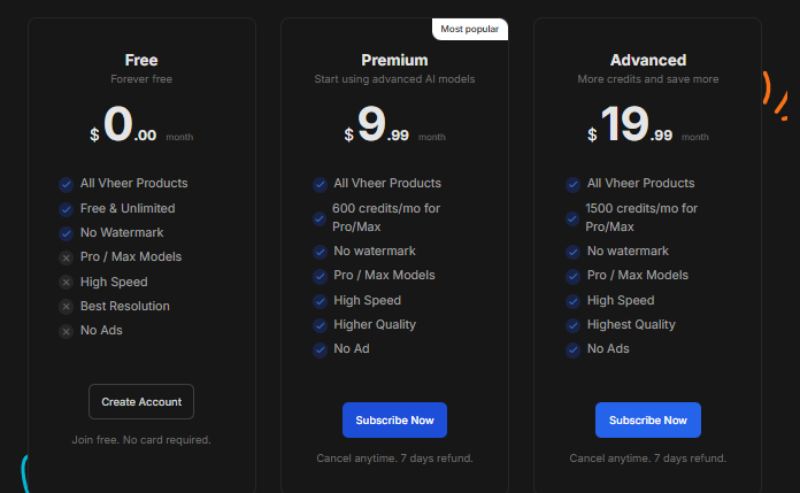
Prices, credits and included models can change. Review the checkout page before subscribing.
The most important difference: usage rights
Vheer currently describes the Free plan as being for personal use. Commercial use is listed as a benefit of Premium, Business and Ultra.
If you plan to use an output in an advertisement, client project, paid product, company website, book cover or monetized content, do not assume that a watermark-free file automatically carries commercial rights. Review Vheer’s current terms and choose a plan that covers the intended use.
How Does Vheer AI Work?
The exact process depends on the tool. In a standard text-to-image workflow, you describe the intended scene and select an available model or setting. The service interprets the prompt and generates a new image based on it.
For image-to-image work, you upload a reference image and describe what should change. Controls such as creative strength and control strength can influence how closely the result follows the original composition.
Vheer offers several model choices across its image and video tools. Models, credit costs and controls can change as the platform is updated, so screenshots in older tutorials may not match the current interface.
How to Generate an Image with Vheer AI
This walkthrough uses Vheer’s Text-to-Image Generator. The wording and available settings may vary by model.
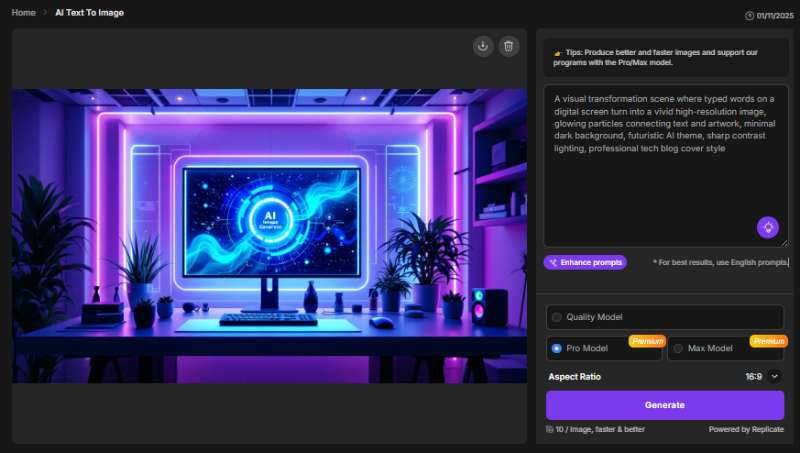
Step 1: Open the text-to-image tool
Go to the Vheer text-to-image page. Before uploading anything or writing a prompt, check whether the selected tool requires an account or credits.
Step 2: Write a specific prompt
Describe the subject, setting, composition, lighting and style. A useful structure is:
Subject + environment + composition + lighting + visual style + intended format
For example:
A compact home office with a wooden desk, laptop and indoor plants, photographed from eye level, soft morning window light, realistic editorial photography, clean neutral colors, 16:9 composition.
Avoid asking the generator to create a finished logo, legal document or important text-heavy graphic without reviewing it carefully. AI image tools can misspell words and produce inconsistent details.
Step 3: Use prompt assistance if necessary
If an Enhance Prompt or similar option is available, it can expand a short idea into a more descriptive prompt. Read the expanded text before generating. Automatic enhancement may introduce objects, styles or moods you did not request.
Step 4: Select the model and format
Choose an available image model and the aspect ratio suited to the final placement:
- 1:1 for square social posts
- 16:9 for website banners or YouTube thumbnails
- 9:16 for Stories, Shorts and vertical screens
- 2:3 or 3:4 for posters and portrait layouts
The exact ratios and output options depend on the selected tool or model.
Step 5: Check the credit cost
Look for the credit requirement before clicking Generate. A basic model may be free, while a newer or premium model may deduct credits or require a paid subscription.
Step 6: Generate and inspect the result
Review more than the overall appearance. Zoom in and check:
- Hands, fingers and facial features
- Text, logos and small objects
- Repeated background elements
- Reflections and shadows
- Product shape and brand details
- Cropping around the edges
If something is wrong, revise the prompt instead of repeatedly submitting the same instructions.
Step 7: Download and record the settings
Save the output and keep a copy of the prompt, model and relevant settings. This makes it easier to reproduce the visual style later.
Main Vheer AI Features
1. Text-to-image generation
Vheer can turn a written description into an image. This is useful for concept art, blog illustrations, social media ideas, mood boards and early design exploration.
The tool is approachable for beginners because it does not require traditional drawing or photo-editing skills. However, image quality depends on the selected model, prompt and subject. A polished-looking picture is not automatically accurate, original enough for every use or ready for commercial publication.
2. Image-to-image transformation
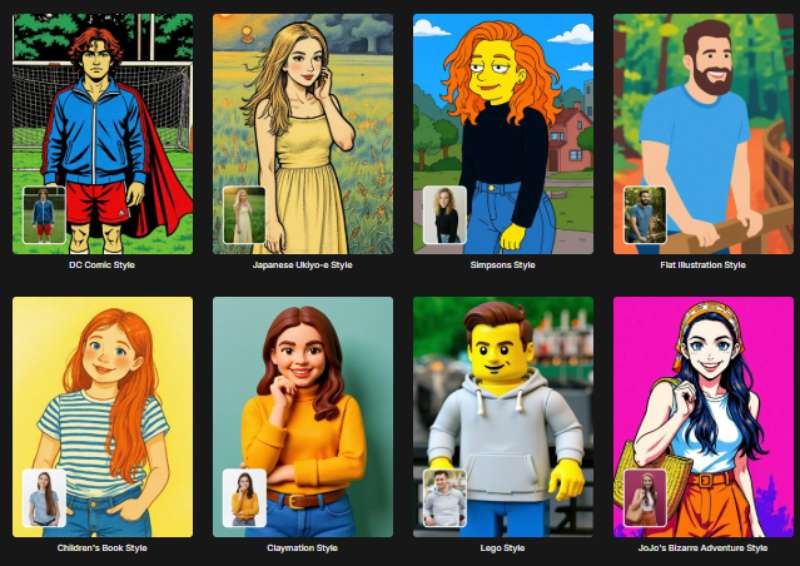
The Vheer Image-to-Image Generator uses an uploaded picture as a reference. It can change the style, clothing, background, mood or other visual elements while attempting to preserve the original composition.
Vheer currently describes creative strength as the amount of freedom given to the model and control strength as the degree to which the output follows the uploaded image. These controls can be helpful for:
- Restyling an illustration
- Testing different product settings
- Exploring character variations
- Changing the atmosphere of a scene
- Creating storyboard variations
Identity and fine details can still drift between generations. Do not promise perfect character or product consistency without testing the particular model.
3. Multi-image editing
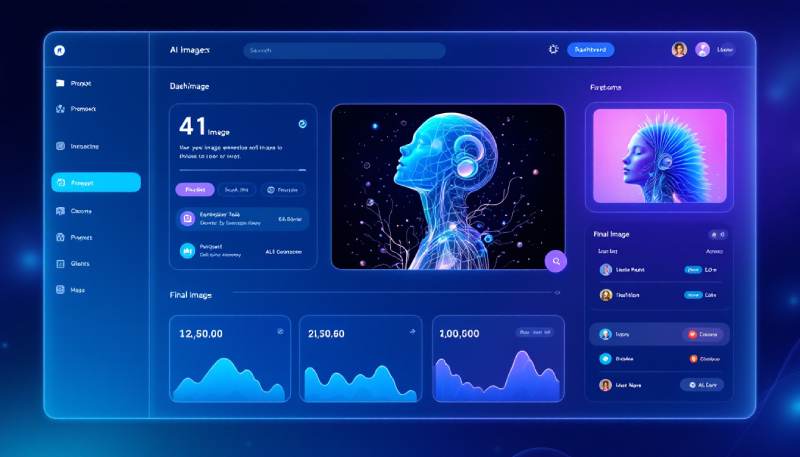
Vheer’s multi-image workflow accepts a primary image plus reference images. This type of tool can help combine visual cues or direct an edit with multiple references.
At the time of review, Vheer states that all models in its Multi Images to Image tool are paid features. This is a clear example of why the entire platform should not be described as unlimited and free.
4. Image-to-video and text-to-video
Vheer now includes tools for animating still images and generating short videos from prompts. Its image-to-video page lists options such as five- or ten-second duration, resolution and output settings.
Video generation is more computationally demanding than basic image creation. Check the selected model’s credits, duration, resolution and usage rights before starting. Generated motion can contain warped objects, inconsistent faces or unrealistic physics, particularly in complex scenes.
5. Image-to-prompt and image-to-text
Image-to-prompt tools analyse a reference image and suggest a written description that could guide a new generation. This can be useful for learning how visual prompts are structured, although the suggested prompt will not necessarily recreate the original image exactly.
Image-to-text is a different function. It uses optical character recognition or related processing to extract visible text from an image. Always proofread the extracted text, especially when the source is blurry or contains unusual fonts.
6. Background and portrait tools
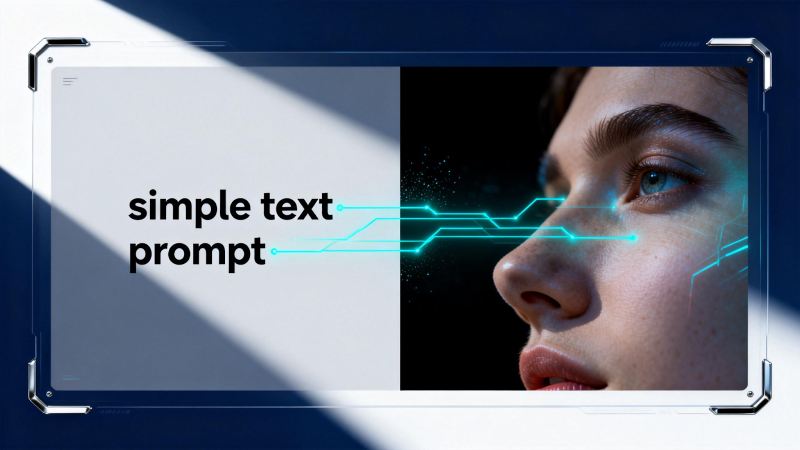
The platform offers background removal and multiple portrait-oriented generators, including headshot, hairstyle, anime and pet portrait options. These tools can make simple edits more accessible, but portraits require extra care because they involve identifiable faces.
Get permission before uploading another person’s photograph. Avoid uploading confidential headshots, identity documents or images of children unless the use is necessary, authorized and consistent with the provider’s terms.
7. Conventional image utilities
Vheer also provides tools for resizing, flipping, blurring, changing color values and compressing images. These utilities are useful additions, but they should not all be presented as generative AI features.
What Can You Create with Vheer AI?
Possible personal and creative uses include:
- Blog illustrations and featured-image concepts
- Social media graphics
- Character and environment concepts
- Mood boards and storyboards
- Anime, fantasy and stylized portraits
- Presentation visuals
- Product-scene experiments
- Short animated clips
- Background-removed images
- Image descriptions and extracted text
For logos, product photography, advertising, book covers and client projects, verify the plan’s commercial rights first. AI-generated text, trademarks and brand elements also require careful human review.
Vheer AI Pros and Cons
Advantages
- Broad collection of image, video and utility tools
- Several tools can be tried without installing software
- Beginner-friendly browser workflow
- Watermark-free output is listed across the current plans
- Free plan available for personal experimentation
- Paid plans include commercial use
- Multiple image and video models in one platform
- Useful image-to-image strength controls
Limitations
- “Unlimited free” marketing does not describe every tool or model
- The account-based Free plan currently includes only 50 monthly credits
- Free-plan usage is listed as personal rather than commercial
- Some advanced workflows require a subscription
- Credit cost can vary by model and feature
- Generated hands, text and fine details may need correction
- Character and product consistency is not guaranteed
- Public product information does not fully explain every model’s training data
- Plan details can change faster than an article can be updated
Privacy, Copyright and Responsible Use
AI creative tools can process personal photographs, brand assets and unpublished ideas. Before uploading such material, review Vheer’s current privacy policy and terms rather than relying only on marketing statements.
Use these precautions:
- Upload only material you own or have permission to use.
- Avoid sensitive identity documents and confidential client assets.
- Get consent before uploading another person’s face.
- Confirm commercial rights for the selected plan.
- Check outputs for trademarks, recognizable characters and copied-looking elements.
- Disclose AI involvement when context requires transparency.
- Keep human review in the workflow for health, legal, financial or factual visuals.
The fact that an image has no watermark does not by itself prove ownership, exclusivity or permission for commercial use.
Who Should Use Vheer AI?
Vheer may suit:
- Beginners experimenting with AI image generation
- Bloggers creating early visual concepts
- Students producing personal project illustrations
- Hobbyists exploring different art styles
- Social media creators testing content ideas
- Designers who want quick reference variations
- Paid users who need access to multiple models with commercial rights
It may be less suitable for:
- Businesses requiring clear enterprise indemnification
- Teams needing strong brand-governance controls
- Users who need guaranteed private generations
- Professional designers requiring detailed layer-based editing
- Projects demanding reliable text rendering or technical accuracy
- Anyone expecting every model to be free and unlimited
Vheer AI Alternatives
Vheer is not the only accessible AI image platform. The right alternative depends on whether you prioritize editing, daily free allowance, commercial clarity or integration with a design suite.
| Alternative | Consider it when you need | Free-access position |
|---|---|---|
| Adobe Firefly | Creative Cloud integration, generative editing and clearer commercial positioning for Adobe models | Limited free daily generations |
| Canva AI Image Generator | Images that will be placed directly into social posts, presentations or templates | Canva Free currently includes a limited monthly AI allowance |
| Leonardo.Ai | More model controls, presets and a dedicated asset-generation workflow | Free users currently receive daily tokens |
| Microsoft Designer | Fast graphics, social designs and integration with Microsoft services | Available free with a Microsoft account, subject to AI limits |
Free allowances and licensing rules change frequently. Check each provider’s current plan and terms before making a long-term decision.
Frequently Asked Questions
Is Vheer AI completely free?
Vheer provides free tools and a Free plan, but not every model and workflow is unlimited. The current Free plan includes 50 monthly credits, and some advanced tools require payment. Check the credit cost shown for the tool and model you select.
Does Vheer AI require an account?
Several Vheer tools advertise access without registration. An account may be necessary for monthly credits, project history, paid models or subscription features.
Does Vheer add a watermark?
Vheer’s current pricing page lists no watermark for Free, Premium, Business and Ultra. Verify the downloaded file because product conditions can change.
Can I use Vheer images commercially?
The current Free plan is labelled for personal use. Commercial use is listed with the Premium, Business and Ultra plans. Review the latest terms for your precise project before publishing or selling an output.
How many free credits does Vheer provide?
Vheer’s pricing page currently lists 50 credits per month on the Free plan. Some basic tools may separately be available without consuming account credits.
What is the difference between Vheer Premium and Business?
Premium currently includes 1,000 monthly credits, while Business includes 2,000. Both list commercial use and premium-model access. Business also advertises a larger bonus when purchasing credit packages.
Is there a Vheer Advanced plan?
No plan named Advanced appears on Vheer’s current pricing page. The present plans are Free, Premium, Business and Ultra.
Can Vheer create videos?
Yes. Its platform includes text-to-video and image-to-video generators. Available models, credit requirements, clip lengths and resolutions depend on the selected tool.
Is Vheer suitable for professional design work?
It can help with ideation, drafts and supporting assets. Professional work still requires human quality control, appropriate commercial rights and, in many cases, additional editing software.
Final Verdict
Vheer AI offers an unusually broad collection of browser-based creative tools in one place. Beginners can experiment with basic image generation and editing without installing complex software, while paid users gain more credits, premium models and commercial usage rights.
Its main weakness is clarity. The homepage promotes unlimited free creation, while the pricing structure and individual tool pages show that credits and subscriptions apply to parts of the platform. Users should therefore judge Vheer tool by tool and model by model rather than assume everything is free without restrictions.
Vheer is worth considering for personal experimentation and fast visual ideation. For commercial work, select an appropriate paid plan, retain the prompt and settings, inspect every output carefully and verify the latest terms before publication.
Vheer is one example of the growing range of AI image and design tools that generate or transform visual content from prompts and reference images. It also belongs within the broader field of generative AI, as its models create new visual content from user instructions.
Related article: Best Free AI Face Swap Video Generators Online for Beginners

Why Manufacturers Need Industry-Specific CRM Systems
Managing customer relations in today’s manufacturing environment is about so much more than just keeping track of sales. Today’s manufacturers…

Third-Party vs Comprehensive Insurance: Finding the Right Cover for Your Scooter
Your scooter needs reliable insurance that can provide financial protection when any unexpected situation arises. Third-party and comprehensive policies provide…