

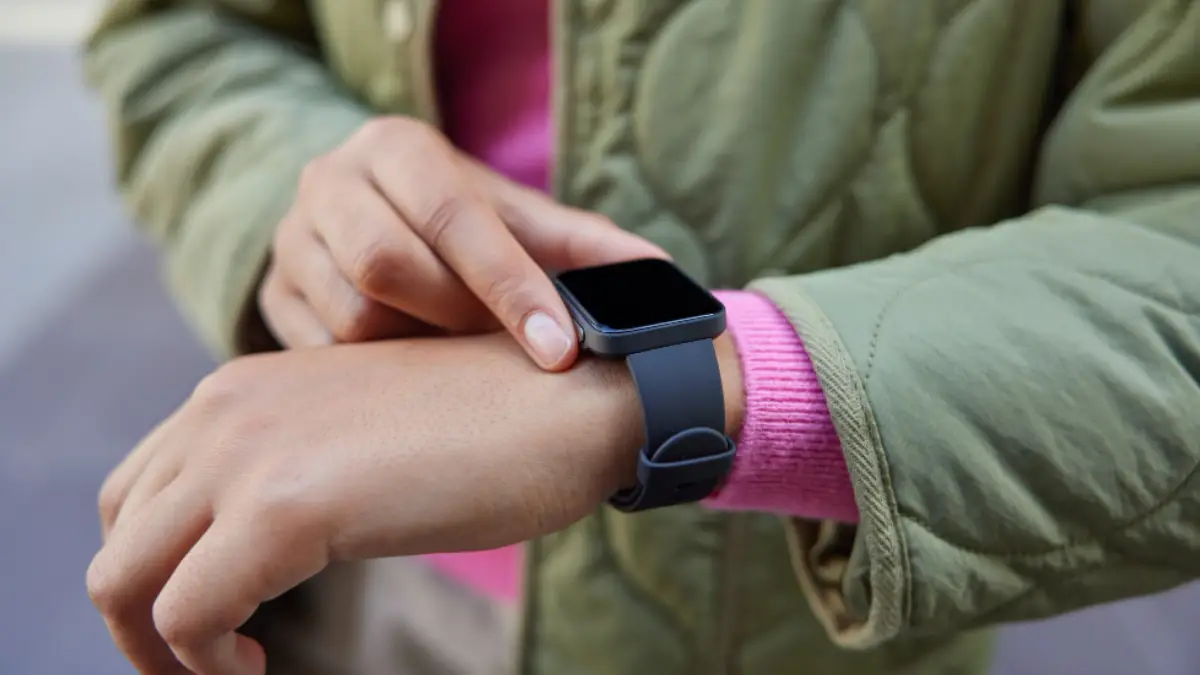
An SOS feature can give a child a quick way to contact a trusted person when they need help. But an SOS button does not work the same way on every kid’s smartwatch.
Depending on the device, activating SOS may send an alert, start a call to nominated contacts, or share the watch’s location through a connected app.
Parents therefore need to understand what happens after the button is pressed, rather than choosing a watch simply because its specifications mention SOS.
What Does SOS Actually Mean on a Kids’ Smartwatch?
An SOS feature is designed to simplify the process of contacting someone when a child needs help quickly.
Instead of navigating through a contact list or finding a phone, the child can use a dedicated SOS function on the watch. The exact process depends on the device and how its emergency contacts have been configured. Common SOS functions may include:
- Alerting nominated contacts.
- Calling selected contacts.
- Sending a notification through a connected app.
- Sharing the watch’s location with authorised contacts.
An SOS function should also not be confused with Australia’s emergency service. Triple Zero (000) is Australia’s main emergency number for urgent police, fire or ambulance assistance.
That distinction matters when choosing a smartwatch. An SOS button may connect a child with trusted people, while calling 000 is the established route for urgent emergency assistance.
What Happens When a Child Activates SOS?
The exact sequence varies between devices, but the process generally starts with the child deliberately activating the SOS function. Depending on the smartwatch, the next steps may include:
- The SOS function is activated.
- Nominated contacts receive an alert.
- The watch may attempt to call selected contacts.
- A connected app may show an SOS notification.
- Location information may be made available to authorised contacts.
The important point is that SOS is a process. Parents should understand who receives the alert, what happens next, and which functions depend on the watch’s connectivity.
This also means the feature should be configured before the child needs it. Contact details should be current, and the child should know who will be notified.
How Are Accidental SOS Alerts Handled?
Children can activate features accidentally, particularly while they are learning how to use a smartwatch.
The activation process can therefore matter. Parents should check whether the device requires a deliberate action rather than a single accidental touch. It is also worth showing a child:
- Where the SOS function is located.
- How to activate it.
- When it should be used.
- Who will receive the alert.
- What to do if it is activated accidentally.
A short explanation can prevent confusion later. Children do not need to test the function repeatedly, but they should understand what will happen if they use it.
Parents should also check whether the device allows an accidental alert to be cancelled and how that cancellation works.
What Should Parents Check Before Relying on SOS?
Check how emergency contacts are configured. Look at:
- How many contacts can be added?
- Whether contacts can be changed easily?
- Whether alerts are sent in a particular order?
- Which family members can receive notifications?
- Whether contact details can be kept up to date?
Does SOS Depend on Mobile Connectivity?
Many connected smartwatch functions depend on a mobile or other network connection. Before buying, check whether a mobile plan or SIM is required.
Mobile coverage can vary between locations, so parents should check the network requirements of the specific watch.
Can an SOS Alert Include Location?
Location can provide useful context when a parent receives an alert, but the way it works varies between devices.
When comparing watches, check:
- Whether an SOS alert includes location.
- Where the location information appears.
- Whether the location is live or recently updated.
What Should You Look For in an SOS-Enabled Smartwatch?
When considering what the best smartwatches for kids with SOS emergency features are, do not stop at the SOS label. Look for a system where:
- SOS activation is simple for the child.
- Parents can configure trusted contacts clearly.
- The alert process is easy to understand.
- Location information is sent when an SOS alert is activated.
- Accidental activation can be managed.
- Privacy settings are easy to understand.
- Battery life suits the child’s daily routine.
Closing Thoughts
An SOS feature can give children a straightforward way to contact trusted people when they need help quickly. Its usefulness depends on what happens after activation, who receives the alert, and whether location information is available..
Before choosing a kids’ smartwatch, look beyond the SOS button itself. Understand the complete process from activation to contact, then consider whether it suits your child’s age, routine and growing independence.
That gives parents a clearer basis for comparing SOS-enabled smartwatches without treating the feature as a guarantee of emergency assistance.
Also Read: Building the Ultimate Home Esports Setup for Competitive Play

Fewer Tabs, Fresher Adverts: What Job Posting APIs Mean for UK Recruitment Teams
Ask any in-house recruiter or agency consultant in the UK where their week goes, and a surprising share of the…
How AI Image Generation Is Changing the Way We Create Visual Content
Creating high-quality images used to require a combination of design skills, expensive software, photography equipment, and plenty of time. Today,…