

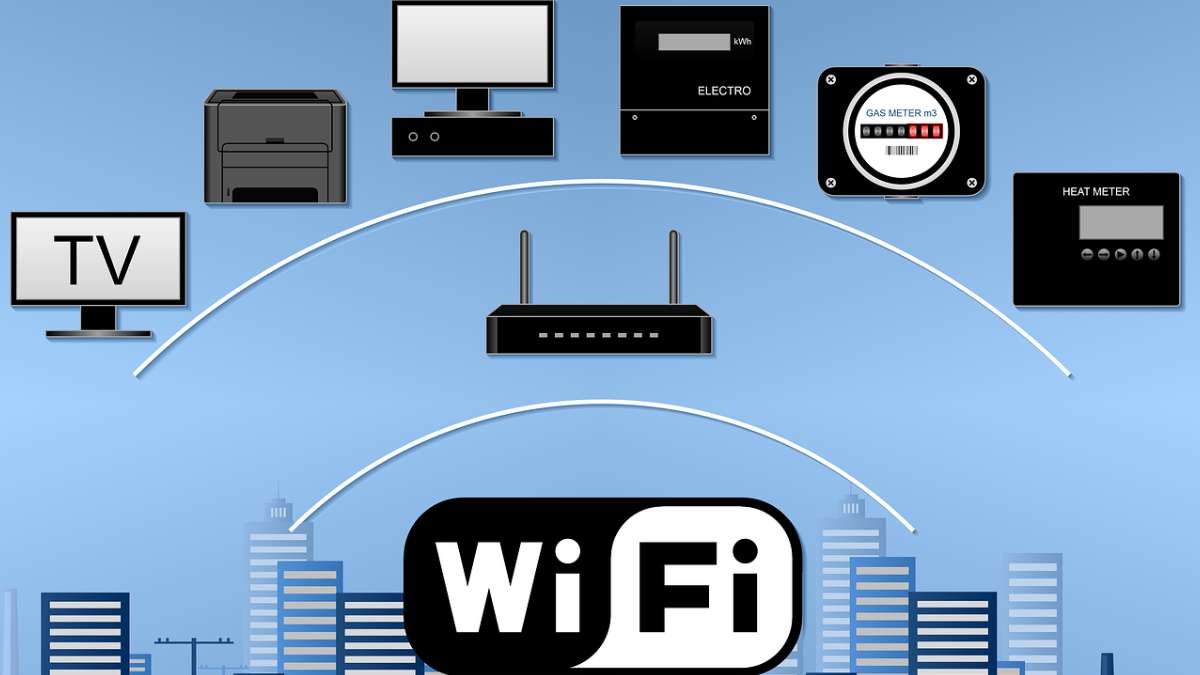
First of all, let‘s just get this out of the way: ‘Wireless Fidelity’. Wrong, wrong and wrong every time your teacher scribbled it on the blackboard, wrong every time you read it in a book and wrong every time you occasionally heard it dropped in a pub quiz. Wi-Fi is not Wireless Fidelity, and it isn‘t anything else.
Wi-Fi is a trade mark. That‘s all. Invented by a marketing company in 1999 to be easy on the tongue and memorable. No secret code. No clever full translation waiting to be unearthed. Just… a name someone received wages for creating.
However, the reality is that once you learn the real story behind it, the technology makes a whole lot of sense. And you will never be caught off guard by this question again.
The Real Answer: Wi-Fi Has No Full Form
In 1999, a nonprofit, Wi-Fi Alliance, was attempting to popularise wireless networking for the general public… The catch? The technical name, IEEE 802.11b Direct Sequence, was, quite simply, terrifying.
They can also think that if they hired the branding consultancy named Interbrand (Yes, the same kind of companies that name the energy drinks and the cars, the one we have already spoken about). To create something better. So that was they communicated to Interbrand: craft it like Hi-Fi. Log it in the same warm, quality-signal way.
Interbrand provided them with Wi-Fi. Simple, two syllables, rhymes with a word that already had credibility. Job done.
“Wireless Fidelity” was actually coined later on in the history of the name; it‘s discussed as having been used briefly as a tagline in early advertising, which was an attempt to bestow a little bit of retroactive meaning upon it. The Wi-Fi Alliance, which created it, have recently disowned such assertions. Sorry, it never stood for anything.
Then why do they all still believe in the Wireless Fidelity story?
Because it sounds like it should. It fit the pattern. And once a plausible explanation gets into the school notes and Wikipedia edits, it propagates. Nobody goes back to check the primary literature.
This truly is one of the most overrated computer myths out there. Now you know better.
What is the Real Technical Standard Underlying Wi-Fi?
IEEE 802.11. That‘s the name you want here if you need the official technical name.
IEEE is the Institute of Electrical and Electronics Engineers, the authority governing the technical standards of wireless networking. In the world of Wi-Fi, each new standard is simply a new revision of the IEEE 802.11 specification: 802.11b, 802.11ac, 802.11ax, etc.
The Wi-Fi Alliance tests that products based on these standards do indeed interoperate correctly.IEEE writes the specifications, and it‘s up to the Wi-Fi Alliance to make sure your laptop and your smartphone are following the same specifications.
Properly over the Hi-Fi affair, explained using the proper term
Hi-Fi, a shortened version of high fidelity, is a term from around the 1950s that audio afficianado‘s used to describe equipment that primarily aimed to reproduce music accurately, without distortion. It was a sound that attracted an aspirational element to it.
And so Interbrand, intentionally or otherwise, echoed it. And Wi-Fi was built to deliver the same message of certainty, assurance. Were all those hotel routers you have always logged onto with such high hopes actually living up to it? Well…
How Wi-Fi Actually Works (The Short Version)
Your router is just a tiny radio station. It receives the internet signal that comes down your cable or fibre optic line, turns it into radio signals, and transmits those out over the air.
So your laptop, phone or smart TV has a wireless chip that picks up those waves, processes it and reduces to data and images that you can actually use. All that happens in a few milliseconds, all in a continuous nature every time you click up a page or flick through a show.
The frequency band your devices use changes how that signal behaves in reality:
- 4 GHz: The workhorse. Slightly slower but reaches further and penetrates furniture and walls more effectively. All the older equipment will default to here. Becomes crowded quite quickly in urban areas as neighbouring routers and even your microwave operate on this band.
- 5 GHz: Faster, less range. Recommended if your laptop is in the same room as your modem/router. Just be aware that walls absorb the signal.
- 6 GHz: New, introduced along with Wi-Fi 6E. Very fast with quite low congestion – but you‘ll need a Wi-Fi 6E compatible device and router, and it works best only at close range.
Wi-Fi Generations: What‘s Actually Changed Over the Years
In 2018, the Wi-Fi Alliance even started naming their standards with simple numbers (Wi-Fi 4, 5, 6… ). They realised no one could remember the 802.11 suffix.
Here‘s where each generation sits:
| Generation | Standard | Top Speed | Year |
| Wi-Fi 1 | 802.11b | 11 Mbps | 1999 |
| Wi-Fi 4 | 802.11n | 600 Mbps | 2009 |
| Wi-Fi 5 | 802.11ac | 3.5 Gbps | 2013 |
| Wi-Fi 6 | 802.11ax | 9.6 Gbps | 2019 |
| Wi-Fi 6E | 802.11ax + 6 GHz | 9.6 Gbps | 2021 |
| Wi-Fi 7 (current) | 802.11be | 46 Gbps | 2024 |
Most home routers are now Wi-Fi 5. If you have a much older router (five years or more), and eight or more devices connected simultaneously, Wi-Fi 6 is a huge upgrade. You‘ll notice an order-of-magnitude difference in how it handles several connections at the same time.
Myths vs Reality: Things People Get Wrong About Wi-Fi
| MYTH | REALITY |
| Wi-Fi stands for Wireless Fidelity | No, it‘s a trademark by “Wireless Fidelity” was just a slogan, not the origin.20 |
| More signal bars = better internet service | Signal strength and internet speed have nothing to do with each other. Your Internet Service Provider‘s plan is the bottleneck. |
| Wi-Fi and the internet are one and the same. | The Wi-Fi is simply the wireless link up to your router. The internet is supplied by your ISP. If you don‘t have the internet, you can still have Wi-Fi. |
| 5 GHz is always better | No, if you‘re in a different room or behind a thick wall. 2.4 GHz wins on range. |
Genuinely – What a Wi Fi Supports and Constrains You
The good things
- There are no cables. You can sit down just about anywhere and get plugged in. Still the single greatest thing about it.
- Routers of today can hold many more devices at the same time. In fact, Wi-Fi 6-capable routers have the capacity to handle dozens of devices comfortably.
- Setup is quick. Less than 10 min. Just plug in, run the app, and that‘s it.
- Portable and accessible all over the place. Airports, cafes, hospitals or even your friend’s house that has an Internet connection (but he‘s got no idea what ISP he‘s using).
Where it falls apart
- Walls, floors and interference really do compromise the signal; your block-style flat is not in your favour.
- Public wifi is a security risk. Since there‘s no VPN, other users on that network could see your traffic.
- Slightly more latency than a wired connection. Usually imperceptible – until it isn‘t. (This is, after all, the bane of any serious gamer‘s life.)
- Old routers have poor throttling when lots of devices are connected; every new device reduces the bandwidth for all the others.
Mistakes That Are Silently Killing Your Wi-Fi Speed
Most of the time, Wi-Fi problems are not hardware issues; they are placement and setup issues. Here‘s what I see daily:
- Routers sitting on the floor, inside a cupboard or tucked away in a corner. Since Wi Fi signals broadcast out and downwards from the antenna, the signal will be weaker the closer the router is to the ground, especially if you cocoon it in a small room. Place it high and open.
- Not rebooting it. Routers are just tiny computers, and like computers, they get sluggish and strange after weeks of not being rebooted. Reboot once a month for 30 seconds. That alone fixes more problems than any firmware update.
- Everything that (by default) connects to 2.4 GHz. Your phone and laptop will often default to the 2.4 GHz band just because their heart is at 2.4, despite the fact that there is a seductively empty, faster 5 GHz band away. Manually tell nearby laptops & phones to connect to the 5 GHz network through their preferences.
- If you give your system password to everyone. The more devices that connect to your main network, the larger the attack surface. Create a guest network, a separate lane that keeps your main devices separate.
- Neglecting firmware upgrades. Router manufacturers release security patches frequently, and most don‘t ever upgrade to them. Log in to your router admin panel(typically 192.168.0.1 or 192.168.1.1) every few months.
Things That Actually Improve Your Wi-Fi (Not Gimmicks)
- Where the router is placed is more important than the hardware upgrade. Place where it won‘t be at a disadvantage, high up and in the middle of the house, away from microwaves and cordless phones. Do this first before anything else.
- Mesh beats range extenders. Range extenders work by repeating your signal, which halves your bandwidth. A mesh uses a dedicated backhaul channel. Have dead spots? Go mesh.
- Change Your DNS. Switching to Cloudflare (1.1.1.1) or Google (8.8.8.8) is a 5-minute job that can actually speed up your pages’ loading time. Not technically related to the WiFi connectivity, but this will definitely be a speed change you will feel.
- Use WPA3 if you have a router that supports it. Almost all the routers, by default, are still using WPA2. WPA3 provides a very good layer of security and would be ideal to switch. Just takes approximately two minutes in your router settings.
- Find out what‘s sucking the life out of your bandwidth! Log in to your router and check connected devices. That smart TV hammering a background update at 2 pm could be to blame for dropping your video conference call!
Who Actually Controls Wi-Fi?
There are two different bodies these things belong to. People are always the wrong way round.
The Wi-Fi trademark is owned by the Wi-Fi Alliance, which also certifies that the systems are compatible. If you see Wi-Fi Certified on the box, they actually tested the product and made sure it works.
The Institute of Electrical and Electronics Engineers (IEEE) actually develops the 802.11 standards for you. They publish the protocols and decide how the radio works at the protocol level. Your hardware is then tested by the Wi-Fi Alliance to make sure they work properly.
IEEE lays down the law, and Wi-Fi Alliance operates the MOT.
Right, So to Wrap Up
Wi-Fi really stands for nothing. It‘s a trademark label, created to sound like Hi-Fi, and the Wireless Fidelity interpretation was a band-aid tacked onto it afterwards. In their own words, there‘s no officially recognised expansion.
The technology name for Wi-Fi, IEEE 802.11, is what you should always look for if you want the real thing.
And see if you‘re finding your Wi-Fi troublesome at the moment, go back to basics. Take the router and put it in a central, raised position. Plug your laptop into the 5 GHz band. Reboot the router if you haven‘t done it in a while. You‘d be amazed at how much of a difference that can actually make, no additional gear needed.
FAQs
1. What is the full form of Wi-Fi?
Nowhere. Wi-Fi is a trademark that was coined in 1999 by Wi-Fi Alliance; it is not an acronym for anything. ‘Wireless Fidelity’ was used at one time as a creative tagline but was never an acronym.
2. Does Wi-Fi really not stand for Wireless Fidelity?
Wrong, it didn‘t. This was confirmed multiple times by the Wi-Fi Alliance. The label was dropped for a brief period in early marketing, but it was never the original power behind the title.
3. What is the technical standard behind Wi-Fi?
IEEE 802.11 is a collection of protocols for wireless networking designed by the Institute of Electrical and Electronics Engineers (IEEE). Each “generation” of Wi-Fi is a new revision of 802.11.
4. What is the difference between Wi-Fi and the internet?
What is Wi-Fi? Well, Wi-Fi is the wireless connection between your device and your router; the Internet is the worldwide network (or networks, in reality) that your ISP (Internet Service Provider) connects your router to. Two different things, and you could have Wi-Fi working fine, but no Internet.
5. What is the latest Wi-Fi standard in 2024?
Wi-Fi 7 (based upon 802.11be computer standard). The most recent Wi-Fi speed standard available was released in 2024. Theoretically reaches 46 Gbps and is much more capable of supporting multiple devices simultaneously.
6. Should I use 2.4 GHz or 5 GHz?
Use 5 GHz if your device will be close to the router and you‘re after speed. Use 2.4 GHz for devices that will be a bit further away (or if there are walls in between), as it doesn‘t get affected by obstacles as much. Most new routers are dual-band, so you can operate both at the same time.
7. Who invented Wi-Fi?
No single inventor. IEEE 802.11 was an industry-wide effort developed by several research groups working on the technology in the 1990s. CSIRO in Australia owns important patents around the signal processing technology.
8. Is it safe to use public Wi-Fi?
It‘s usable, but be prepared for untrusted. Many networks are not encrypted, so other users could potentially see your traffic. Use VPN when on public Wi-Fi, and don‘t log into anything significant without it.


Dynamics 365 Migration: Thinks to Know Before a Single Record Moves
Most migration projects do not fail because the tooling is weak. They fail because the team treated the move as…

How to Update Your Resume After a Layoff
It often starts with a fifteen-minute calendar invite called “Quick sync” and an HR person you’ve never met on the…