

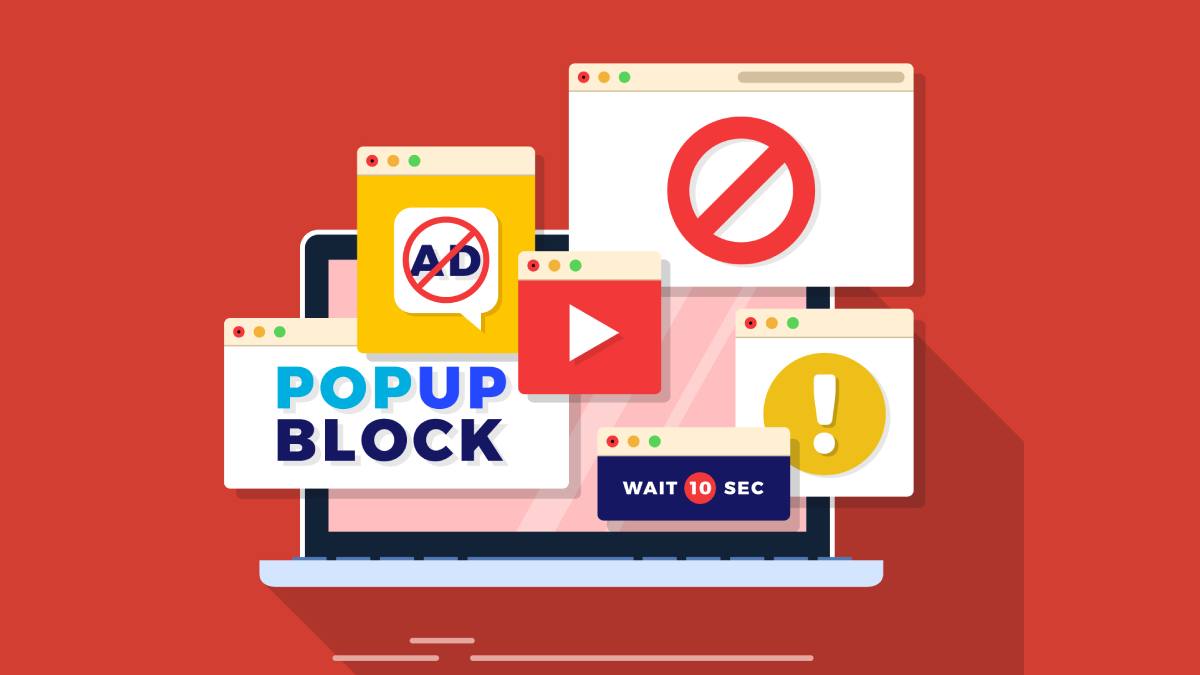
Tired of endless interruptions while watching your favorite YouTube videos? You’re not alone. Millions of users search for ways to enjoy ad-free content without breaking the bank. Whether you’re looking for a reliable ad blocker extension for Youtube or exploring alternative methods, this comprehensive guide covers everything you need to know about blocking YouTube ads in India.
The good news is that installing an ad blocker extension is just one of several effective methods available. From official subscription options to clever browser tricks, we’ll walk you through proven techniques that work across all devices and platforms. Let’s dive into the world of ad-free YouTube streaming.
Why Does YouTube Have So Many Ads?
YouTube’s advertising strategy has become increasingly aggressive over the years, and there’s a simple reason behind it: revenue. As the world’s largest video-sharing platform, YouTube operates on an ad-supported model that funds both the platform itself and content creators.
In recent years, you’ve probably noticed more ads than ever before. YouTube now shows multiple ads before videos start, mid-roll ads during longer content, and banner ads alongside your video player. This increase isn’t random—it’s a deliberate business decision. YouTube Premium subscriptions provide an alternative revenue stream, but the vast majority of users still rely on the free, ad-supported version.
Content creators earn money through YouTube’s Partner Program, which shares ad revenue with eligible channels. While this system has enabled countless creators to turn their passion into a profession, it also means viewers face constant commercial interruptions. The platform has also introduced non-skippable ads and extended ad breaks, making the viewing experience more frustrating than ever.
Is It Legal to Block YouTube Ads?
This is one of the most common questions users ask, and the answer isn’t entirely black and white. Technically, using ad blocker extension is legal in most countries. You’re not breaking any criminal laws by installing software that modifies your browsing experience.
However, YouTube’s Terms of Service do state that users should not circumvent or disable advertising. While they can’t prosecute you for using an ad blocker, they can take action against your account. In 2023, YouTube began detecting ad blocker usage and displaying warnings to users, asking them to disable their ad blockers or subscribe to YouTube Premium.
The ethical consideration is worth mentioning too. Content creators rely on ad revenue to sustain their channels. When you block ads, you’re potentially reducing their income. Many creators have addressed this directly, suggesting alternatives like Patreon support or channel memberships if viewers choose to block ads.
That said, the decision ultimately rests with you. Many users argue that the excessive number of ads justifies using blockers, especially when ads disrupt educational content or important tutorials.
Method 1: Subscribe to YouTube Premium (Official Solution)
If you want a completely legal, hassle-free way to eliminate YouTube ads, YouTube Premium is the official answer. Priced at $13.99 per month for individuals in the US, this subscription removes all ads across YouTube’s platform, including on mobile apps and smart TVs.
Beyond ad removal, YouTube Premium offers several valuable features. You get background play on mobile devices, allowing you to listen to videos with your screen off—perfect for music or podcasts. You also gain access to YouTube Music Premium at no extra cost, providing a comprehensive music streaming service.
The offline download feature is particularly useful for travelers or anyone with limited data. You can save videos directly to your device and watch them without an internet connection. Additionally, Premium subscribers get exclusive access to YouTube Originals, though this library has become less prominent in recent years.
Family plans are available for $22.99 monthly, covering up to six family members. Students can get a discounted rate of $7.99 per month with verification. While it’s not free, YouTube Premium represents the most straightforward solution and directly supports the creators you watch.
Method 2: Browser Extensions to Block YouTube Ads
Browser extensions remain the most popular method for blocking YouTube ads, and for good reason—they’re free, easy to install, and highly effective. Several reputable extensions have proven track records of successfully removing YouTube advertisements.
uBlock Origin stands out as the most recommended option among tech-savvy users. It’s open-source, lightweight, and doesn’t sell your data to third parties. The extension works across Chrome, Firefox, and Edge browsers, effectively blocking pre-roll, mid-roll, and banner ads on YouTube. Installation takes seconds: simply visit your browser’s extension store, search for uBlock Origin, and click “Add to Browser.”
AdBlock Plus is another veteran in the ad-blocking space. While it allows some “acceptable ads” by default, you can disable this feature in settings to block everything. It’s particularly user-friendly for beginners who want a set-it-and-forget-it solution.
Stands Adblocker has gained popularity for its YouTube-specific optimization. It not only blocks video ads but also removes sponsored content suggestions and banner advertisements throughout the YouTube interface, providing a cleaner viewing experience.
One important note: YouTube has been actively fighting back against ad blockers. You may occasionally see messages warning you about ad blocker usage or experience temporary playback issues. Most extension developers quickly release updates to circumvent these measures, so keeping your extensions updated is crucial.
Method 3: Use Brave Browser for Ad-Free YouTube
The Brave browser offers a built-in solution that requires zero additional setup. Unlike Chrome or Firefox, Brave comes with native ad-blocking technology that works immediately after installation, including on YouTube.
Brave blocks ads and trackers by default, meaning you don’t need to install any extensions. Simply download Brave from the official website, install it, and navigate to YouTube—ads will be automatically blocked. The browser also blocks YouTube’s anti-adblock detection scripts more effectively than many standalone extensions.
Beyond ad-blocking, Brave offers enhanced privacy features. It blocks third-party cookies, prevents fingerprinting, and upgrades connections to HTTPS automatically. The browser is built on Chromium (the same foundation as Chrome), so it’s compatible with most Chrome extensions if you need additional functionality.
Interestingly, Brave has its own rewards system. You can opt into privacy-respecting ads from Brave’s network and earn Basic Attention Tokens (BAT) cryptocurrency, which you can then use to tip your favorite content creators directly. This provides an alternative way to support creators without watching traditional ads.
Method 4: Modify YouTube URL to Skip Ads
This clever trick doesn’t block ads permanently but helps you skip them quickly when you need immediate access to a video. By making a simple change to the YouTube URL, you can bypass ads altogether.
Here’s how it works: When you’re on a YouTube video page, look at the URL in your address bar. It will look something like youtube.com/watch?v=VIDEO_ID. Simply add a period after “youtube” so it reads youtube.com./watch?v=VIDEO_ID. This minor modification tricks YouTube’s ad-serving system and loads the video without advertisements.
Alternatively, you can replace “youtube.com” with “youtube-nocookie.com” in the URL. This embedded version of YouTube typically shows fewer or no ads.
While this method works, it’s not as convenient as browser extensions since you need to manually edit the URL for each video. It’s best suited for occasional use or situations where you can’t install extensions, such as on public computers or work devices with restricted software policies.
How to Block YouTube Ads on Different Devices
Windows and macOS
Desktop users have the most options for blocking YouTube ads. Browser extensions work seamlessly on both Windows and macOS systems. Install uBlock Origin or AdBlock Plus in your preferred browser, and you’re set. Desktop applications like FreeTube offer an alternative YouTube interface with built-in ad blocking, though they lack some features of the official site.
Chrome, Firefox, Safari, Edge
Each major browser handles ad-blocking extensions slightly differently. Chrome and Edge (both Chromium-based) support the widest range of extensions. Firefox maintains strong privacy-focused extension support, making it ideal for ad blockers. Safari users on Mac have fewer options but can use AdGuard for Safari or Wipr, both effective YouTube ad blockers available through the Mac App Store.
Android Devices
Blocking ads on Android requires different approaches. The YouTube mobile app doesn’t support extensions, so you’ll need alternative solutions. YouTube Vanced (now discontinued but still functional if you have it installed) provides ad-free YouTube with additional features. NewPipe and LibreTube are open-source alternatives available through F-Droid. For browser-based viewing, Firefox Mobile supports extensions like uBlock Origin, allowing ad-free YouTube through mobile browsers.
iOS Devices
Apple’s iOS presents the biggest challenge for ad-blocking. The official YouTube app cannot be modified, and iOS Safari has limited extension support. Your best bet is using a content blocker like AdGuard or 1Blocker from the App Store, then watching YouTube through Safari rather than the app. Alternatively, subscribing to YouTube Premium remains the most convenient solution for iPhone and iPad users who primarily use the official app.
Conclusion: Which Method to Block YouTube Ads Is Best for You?
Choosing the right method depends on your priorities, technical comfort level, and viewing habits. If you value simplicity and want to support creators directly, YouTube Premium offers the most straightforward solution with legitimate benefits beyond ad removal.
For budget-conscious desktop users, browser extensions like uBlock Origin provide excellent results at zero cost. They’re easy to install and maintain, making them ideal for most people. Brave browser users get ad-blocking without any setup whatsoever, plus enhanced privacy features.
Mobile users face more limitations, particularly on iOS. Android users have more flexibility with alternative apps, while iOS users might find YouTube Premium to be the path of least resistance.
Remember that content creators depend on revenue to continue producing videos. If you choose to block ads, consider supporting your favorite channels through Patreon, channel memberships, or direct donations. This way, you can enjoy an ad-free experience while ensuring the creators you love can keep making content.
Also Read: ChatGPT Student Discount and Shared Subscriptions for Smarter Savings


Statutory Residence Test Guide: Sufficient Ties Test Explained
You need to know how HM Revenue and Customs looks at your physical presence and connections to the UK to…
What Is a Smart TV? Features, Benefits, How It Works & Buying Guide (2026)
What Is a Smart TV, Really? What is a smart tv, really? Honestly, I get why people ask this. I…