


Social media success depends on pictures. In a feed of competing content your images need to grab attention communicate fast and make people take action. GPT Image 2 is a tool for social media creators who need professional-looking graphics without spending a lot of time or money.
Why AI Image Generation is a Game Changer for Social Media
The main challenge of media marketing is creating a lot of content. Algorithms like it when you post regularly but making high-quality visuals for every post is exhausting. Most small teams and solo creators have to choose between quality and quantity.
GPT Image 2 solves this problem. The model makes original images in seconds so you can create many variations for a single campaign and pick only the best ones. This gives you lots of options. Lets you focus on choosing the best images.
Getting Started with GPT Image 2 for Social Content
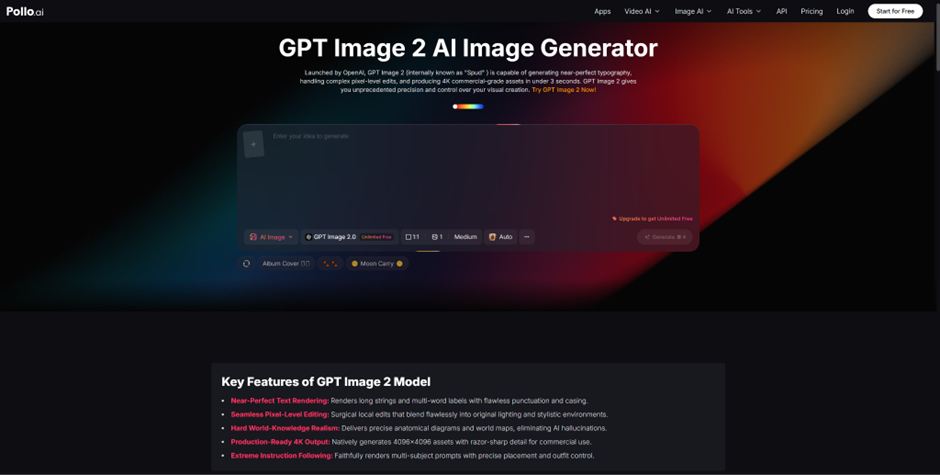
* The easiest way to start creating is through Pollo AIs GPT Image 2 integration.
* The platform has an interface thats perfect for quickly generating images, which is what social media workflows need.
Start by identifying your content pillars. The themes and topics that define your social media presence. For each pillar create a set of templates that capture your brands visual style.
* Include style descriptors, color references and composition preferences in every prompt to keep your feed looking cohesive.
For example a wellness brand might use templates like ” lifestyle scene, soft natural lighting, earth tones, minimalist composition, warm and calming mood” as a foundation then customize the subject and setting for each post.
Making Visuals for Each Social Media Platform
* Each social media platform has its visual style and audience expectations.
* GPT Image 2s flexibility makes it great for creating platform- content.
For Instagram focus on colors, strong compositions and aspirational imagery.
* Prompts should emphasize impact and emotional resonance.
* For LinkedIn use clean aesthetics with muted color palettes and authoritative compositions.
* Twitter works best with contrast attention-grabbing images that communicate quickly.
* Pinterest is about vertical inspirational imagery with clear subject matter.
Adjust your prompts to match these platform characteristics.
* The same core concept can be visualized differently for each channel making your content more relevant and effective across platforms.
Building an Efficient Content Production Workflow
* Batch your content creation sessions.
* Set aside time to generate a week or month of visual content in one sitting.
* Write all your prompts in advance generate images in sequence and review the outputs together.
Pollo AI supports this workflow by keeping track of your generation history and letting you revisit results.
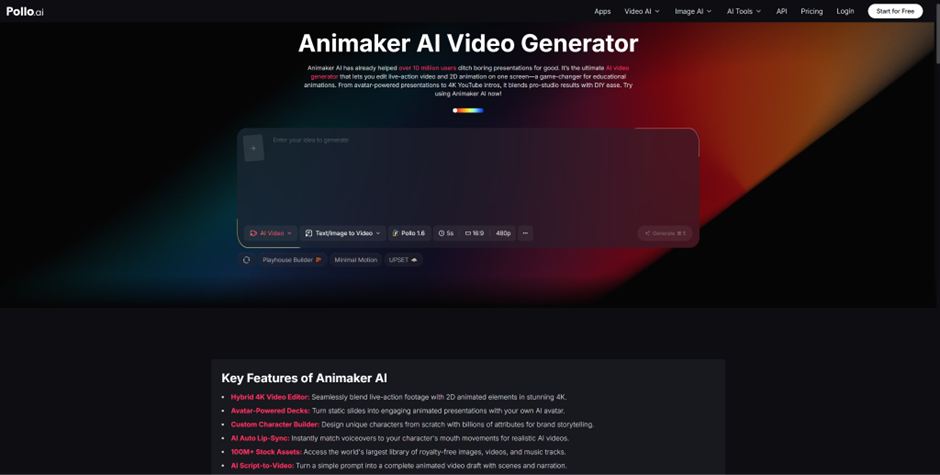
* For creators who want to turn their images into animated content exploring tools like Animaker through Pollo AI adds motion graphics capabilities that can transform your best-performing images into engaging video posts.
This mix of animated content creates a varied feed that keeps audiences engaged and tells platform algorithms that your account produces diverse high-quality content.
Optimizing Visual Performance
* Track engagement metrics for each AI-generated image and link them back to the prompts that produced them.
* Over time patterns emerge. Certain color palettes, compositions or subject types consistently outperform others.
* Use these insights to refine your templates and continuously improve your visual content strategy.
GPT Image 2, on Pollo AI makes this iterative optimization practical.
* The speed of generation means you can test hypotheses quickly and the cost efficiency means you can afford to experiment
* Start building your AI-powered media visual system today and watch your content quality and consistency improve dramatically.
Also Read: Core App Dashboard: The No-Nonsense Guide I Wish I Had on Day One


Third-Party vs Comprehensive Insurance: Finding the Right Cover for Your Scooter
Your scooter needs reliable insurance that can provide financial protection when any unexpected situation arises. Third-party and comprehensive policies provide…

How to Compare Health Insurance Claim Settlement Ratios?
A health insurance claim settlement ratio can appear to offer a quick answer about an insurer’s reliability, but one percentage…